
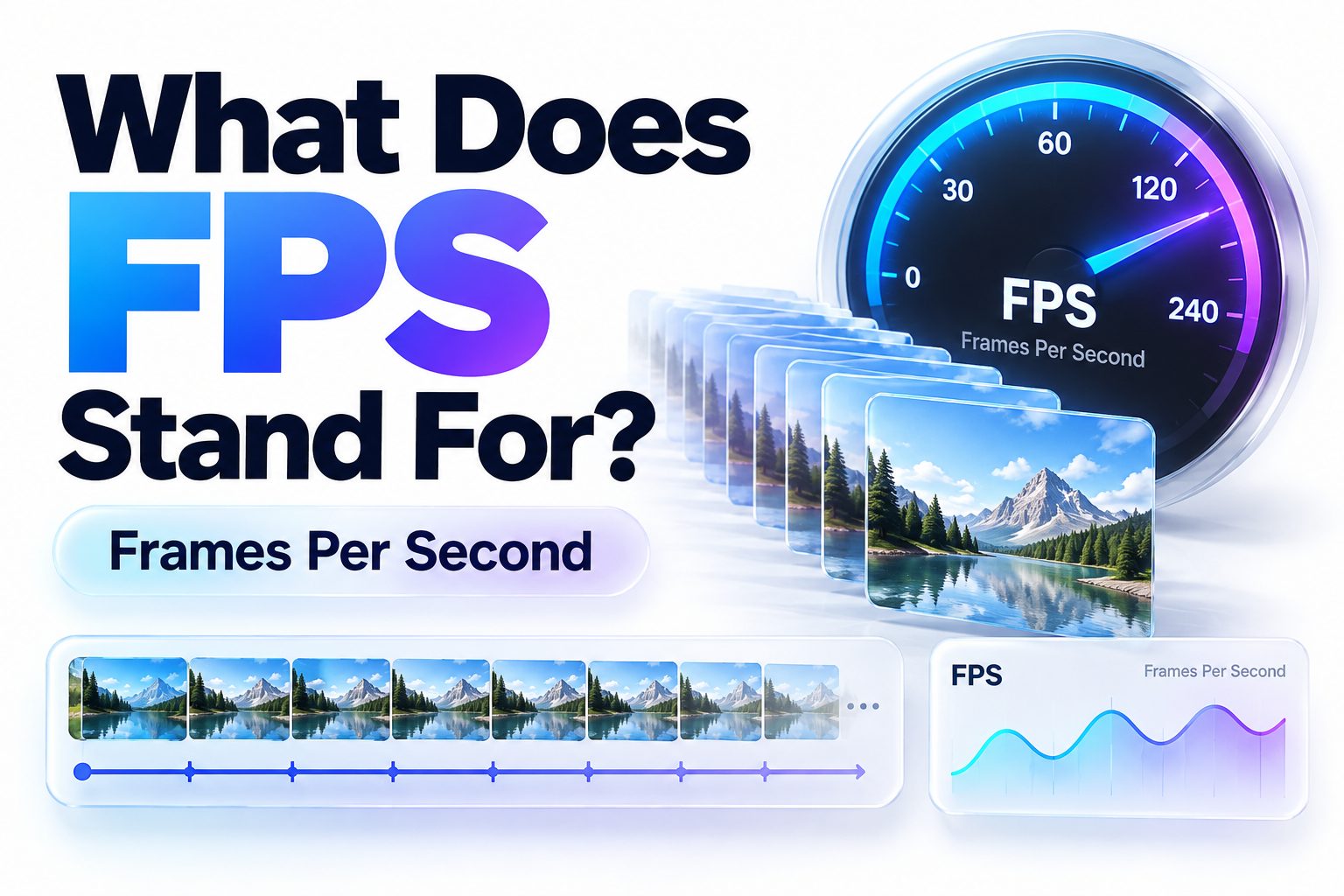
The short answer to “what does FPS stand for” depends on the context. In gaming, FPS most commonly means either “frames per second,” a measurement of visual performance, or “first-person shooter,” a video game genre. The same abbreviation can also refer to foot-pound-second, feet per second, and several less common technical or organizational terms.
When someone discusses frame rates, graphics cards, monitors, cameras, or video quality, FPS almost certainly means frames per second. When the conversation involves games such as Call of Duty, Counter-Strike, or Valorant, it may describe a first-person shooter. Context usually makes the intended definition clear.
This article explains both common meanings, how frames per second affect games and videos, what frame rate you should aim for, and how FPS differs from refresh rate. It also covers first-person shooter games, practical ways to check performance, and the reasons frame rates sometimes drop. By the end, you should be able to interpret the abbreviation correctly and make sensible choices about gaming hardware, display settings, and video recording.
What FPS Usually Means
FPS has two dominant meanings in consumer technology: frames per second and first-person shooter. Frames per second measures how many individual images a device displays or records in one second. First-person shooter describes games experienced through the viewpoint of the character holding or using a weapon.
The surrounding words often reveal the intended meaning. Phrases such as “60 FPS,” “FPS counter,” and “low FPS” refer to frame rate. Phrases such as “popular FPS game,” “competitive FPS,” and “multiplayer FPS” refer to the genre. Capitalization does not distinguish them because both usually appear as FPS.
Frames per Second Explained
Video and game animation create the impression of movement by showing a rapid sequence of still images called frames. If a game runs at 60 FPS, the system produces approximately 60 separate frames every second. A camera recording at 30 FPS captures 30 images during the same period.
Higher frame rates generally produce smoother motion and allow the displayed image to respond more quickly to input. Lower frame rates can make movement look uneven, particularly during fast camera turns. Image quality still depends on other factors, including resolution, lighting, compression, and graphical detail.
Quick Context Clues
Use these clues to identify the intended definition:
- A number appears before FPS: It almost always means frames per second, as in 30 FPS or 144 FPS.
- Someone mentions performance: Terms such as frame drops, graphics settings, and benchmarks point to frames per second.
- The sentence describes a game category: FPS probably means first-person shooter.
- Cameras or recording are discussed: FPS refers to the video capture frame rate.
- Units of speed or engineering appear: FPS may mean feet per second or foot-pound-second.
Why Frames per Second Matter in Gaming
Frame rate affects how fluid a game looks and how quickly visual changes appear on screen. At a stable 60 FPS, each frame lasts about 16.7 milliseconds. At 30 FPS, each remains for roughly 33.3 milliseconds. The shorter interval can make aiming, tracking targets, and controlling movement feel more immediate.
Consistency matters as much as the headline number. A stable 60 FPS often feels better than performance that repeatedly jumps between 50 and 100 FPS. Sudden changes disrupt motion pacing and may make controls feel unpredictable, even when the average frame rate appears respectable.
Smoothness and Motion Clarity
More frames provide additional visual information about moving objects. This can make an opponent easier to follow across the screen and reduce the distance an object appears to jump between frames. The benefit is especially noticeable during fast movement, rapid camera rotation, and competitive play.
A higher frame rate does not automatically eliminate blur. Display response time, motion-processing settings, and the way an image is rendered also affect clarity. Still, when the rest of the system can keep up, moving from 30 FPS to 60 FPS creates an obvious improvement for most players.
Responsiveness and Input Delay
A game can only reflect an input in a newly generated frame. Producing frames more frequently creates more opportunities to show the result of a mouse movement, button press, or controller action. That is why competitive players often prioritize high frame rates over demanding visual effects.
Overall input delay also includes the controller or mouse, game engine, processor, graphics card, display, and network connection. High FPS improves only part of that chain. It cannot fix internet latency or a slow display, but it can reduce rendering-related delay.
Common FPS Targets and Their Uses
There is no single frame rate that suits every game, device, and player. A cinematic adventure may remain enjoyable at 30 FPS, while a fast competitive shooter benefits from 120 FPS or more. The right target depends on the software, screen, hardware, and performance expectations.
Frame rate should also be considered alongside resolution. Rendering a game at 4K usually demands much more processing power than rendering at 1080p. Players commonly lower resolution or selected graphics settings to maintain smoother performance during demanding scenes.
Frame Rate | Typical Use | Practical Experience
24 FPS | Films and cinematic video | Natural for movies but usually feels slow in interactive games
30 FPS | Console quality modes and casual games | Playable when stable, though fast motion may look less fluid
60 FPS | General gaming and online play | Smooth, responsive, and a strong target for most players
120 FPS | Competitive games and newer consoles | Very fluid but requires a compatible high-refresh display
144 FPS | PC competitive gaming | Matches many popular 144 Hz gaming monitors
240 FPS or more | Esports and high-end competitive setups | Offers smaller response gains and requires powerful hardware
The jump from 30 FPS to 60 FPS is usually more noticeable than the jump from 144 FPS to 240 FPS. Improvements continue at high rates, but they deliver diminishing returns and can demand significantly more processing power.
FPS and Refresh Rate
Frames per second describes how quickly a computer, console, or camera produces frames. Refresh rate, measured in hertz, describes how many times a display can update each second. A game may generate 120 FPS, but a 60 Hz monitor cannot show 120 complete updates every second.
Matching the two helps make efficient use of the hardware. A 144 Hz monitor is well suited to games running near 144 FPS, while a 60 Hz screen pairs naturally with a 60 FPS target. Higher rendering rates can still reduce input delay, although the display cannot visibly present every complete frame.
Screen Tearing and Synchronization
When the graphics card sends a new frame while the display is partway through a refresh, portions of different frames may appear together. The resulting horizontal split is called screen tearing. It can become particularly visible during camera movement or when frame rate and refresh rate differ substantially.
Vertical synchronization, or V-Sync, limits frame delivery to coordinate with the monitor. Adaptive synchronization technologies take a more flexible approach by adjusting the display’s refresh timing to the game’s output. These methods can create cleaner motion, though specific settings may affect latency or performance.
Why a High FPS Number May Still Look Poor
An average frame-rate figure can hide short but disruptive slowdowns. A game averaging 100 FPS might briefly fall to 35 FPS during combat, producing a visible hitch. Measurements called frame times and one-percent lows provide a better picture of consistency than the average alone.
Display configuration can create problems too. A 144 Hz monitor may remain set to 60 Hz in the operating system after installation. Poor pixel response, aggressive motion smoothing, or an unsuitable connection can also prevent high frame rates from looking as clear as expected.
FPS in Video Recording and Film
For cameras and video software, FPS indicates the recording or playback frame rate. Film has traditionally used 24 FPS, while online video, television, and live streaming commonly use 25, 30, 50, or 60 FPS. Regional broadcasting standards and creative choices influence which rate is appropriate.
Frame rate changes the character of motion. Twenty-four FPS is strongly associated with cinema, while 60 FPS appears clearer and more immediate during sports, gameplay, and demonstrations. The best option is not simply the highest number; it is the rate that suits the subject and delivery platform.
Frame Rate and Shutter Speed
Frame rate determines how often an image is captured, while shutter speed controls how long each frame is exposed. Their relationship affects motion blur. At the same frame rate, a faster shutter can make each frame sharper but may make movement look choppy.
A common starting point is a shutter speed close to twice the frame rate, such as 1/60 second for 30 FPS. This is a creative convention rather than an unbreakable rule. Sports, action scenes, low-light recording, and special effects may call for different settings.
Slow-Motion Recording
Slow motion is created by capturing more frames than the final video displays. Footage recorded at 120 FPS and played on a 30 FPS timeline can run at one-quarter speed while retaining a new frame for every playback interval. This produces smoother slow motion than merely stretching 30 FPS footage.
High-frame-rate recording has tradeoffs. It may require more light, generate larger files, increase heat, and limit resolution on some cameras or phones. Before recording, confirm the available storage, supported resolution, and intended editing timeline.
Practical Video Examples
- Talking-head video: 24 or 30 FPS usually provides natural motion while keeping files manageable.
- Sports and fast action: 50 or 60 FPS captures movement more clearly and allows modest slow motion.
- Dramatic film-style footage: 24 FPS supports a familiar cinematic appearance.
- Gameplay recording: 60 FPS preserves fast movement when the computer can play and record reliably.
- Pronounced slow motion: 120 FPS or 240 FPS provides more flexibility, subject to the camera’s resolution and lighting limits.
For more information about capture settings, see [Internal Link: Best Video Recording Settings].
First-Person Shooter as a Game Genre
FPS also stands for first-person shooter. In this genre, players see the game world from the controlled character’s perspective, often with a weapon, hands, or interface visible in the foreground. Aiming, movement, combat, spatial awareness, and quick decision-making form the core of most FPS games.
Well-known examples include Doom, Counter-Strike, Halo, Call of Duty, Valorant, and Overwatch. These games differ considerably in pace and structure. Some emphasize realistic weapons and tactical teamwork, while others use science-fiction abilities, fast movement, large battlefields, or story-driven campaigns.
Core Features of FPS Games
The first-person camera is central to the genre because it aligns the player’s view with the character’s viewpoint. This can create immediacy and precise aiming, but it also limits peripheral awareness. Players must use sound, maps, communication, and game knowledge to track activity outside their view.
Not every first-person game is a shooter. Puzzle games, exploration titles, and role-playing games may use the same viewpoint without making shooting their main mechanic. Likewise, a third-person shooter focuses on ranged combat but shows the controlled character from an external camera position.
Single-Player and Multiplayer FPS Games
Single-player shooters often combine combat with narrative, exploration, enemy encounters, and scripted set pieces. Players can usually adjust the difficulty and proceed at their own pace. Multiplayer games place greater emphasis on map knowledge, mechanical skill, team roles, and adaptation to human opponents.
Competitive FPS games may use round-based objectives, team deathmatch, extraction systems, or battle royale formats. Cooperative shooters instead ask players to work together against computer-controlled enemies. Many modern titles combine several modes, so the FPS label describes their viewpoint and primary combat rather than one exact structure.
Frames per Second Versus First-Person Shooter
The two common definitions frequently appear in the same conversation. Someone might say, “This FPS runs at 120 FPS.” The first use refers to the game genre, while the second identifies its frame rate. The sentence is valid even though it initially sounds repetitive.
Context is the simplest way to separate them. A countable performance value points to frames per second. A description of mechanics, perspective, or genre points to first-person shooter. When ambiguity remains, writing out the term once can make technical instructions easier to follow.
Term | Meaning | Example
FPS as a measurement | Frames produced, displayed, or captured each second | “The game runs at 60 FPS.”
FPS as a genre | A shooter played mainly from the character’s viewpoint | “Valorant is a competitive FPS.”
Frame rate | The frequency at which frames appear | “Lowering shadows improved the frame rate.”
First-person perspective | A camera viewpoint through the character’s eyes | “The puzzle game uses a first-person perspective.”
How to Check FPS While Gaming
Many games include a built-in performance display in their video, graphics, interface, or telemetry settings. This is often the simplest option because it requires no additional software and may show useful details such as frame time, latency, packet loss, graphics memory, and processor load.
Gaming platforms, graphics-card utilities, and operating-system overlays may also provide counters. Availability varies by device and software version, so check the settings already installed on the system. For reliable results, observe performance during actual gameplay rather than only in lightweight menus.
A Simple Testing Process
1. Open the game’s graphics or interface settings and enable its frame-rate counter.
2. Play a demanding section that includes combat, weather, dense environments, or many characters.
3. Watch for drops rather than focusing only on the highest number displayed.
4. Repeat the same section after changing one graphics setting.
5. Compare average performance, low points, image quality, and responsiveness.
6. Keep the new setting only when the tradeoff is worthwhile.
For a broader performance-checking process, see [Internal Link: How to Monitor PC Gaming Performance].
Common Causes of Low FPS
Low frame rates occur when the system cannot complete frames quickly enough. The graphics processor may be overloaded by resolution, ray tracing, shadows, reflections, or detailed effects. The processor can become the limit in games with complex simulation, crowded areas, or extremely high frame-rate targets.
Background activity, heat, power settings, limited memory, and software problems can also reduce performance. A frame-rate issue is not always caused by weak hardware. Diagnosing the bottleneck before buying an upgrade helps avoid spending money on a component that will not solve the problem.
Graphics Processor Limitations
The graphics processing unit, or GPU, handles much of the work involved in producing the final image. High resolution, advanced lighting, antialiasing, and ray tracing can increase its workload sharply. When the GPU is consistently near full use, lowering visually demanding settings may raise FPS.
Resolution scaling technologies can help by rendering at a lower internal resolution and reconstructing the image for the display. Results vary by game, quality mode, resolution, and movement. Aggressive performance modes may increase speed but introduce softness, shimmering, or other visible artifacts.
Processor and System Limitations
The central processing unit, or CPU, prepares game logic, simulation, physics, and instructions for the GPU. A processor bottleneck can prevent a powerful graphics card from reaching full use, particularly at lower resolutions or very high frame rates. Lowering graphics quality may provide little improvement in that situation.
Insufficient system memory may cause stuttering when the game repeatedly moves data between faster and slower storage. Thermal throttling can reduce processor or GPU speed when temperatures become excessive. Power-saving modes may also limit performance, especially on laptops running without their charger.
Ways to Improve Gaming FPS
Begin with reversible changes. Close unnecessary background applications, confirm that the device is using an appropriate performance mode, and reduce the settings with the largest processing cost. Shadows, volumetric effects, reflections, ray tracing, crowd density, and resolution commonly have more impact than texture filtering.
Change one or two settings at a time and test the same scene. Selecting the lowest preset immediately may increase FPS but unnecessarily damage image quality. A measured approach helps identify which options deliver meaningful performance gains and which have little effect on the current hardware.
Performance Improvement Checklist
- Confirm the game is using the dedicated GPU on systems with multiple graphics processors.
- Check that the display cable is connected to the graphics card rather than the motherboard when appropriate.
- Close unneeded browser tabs, launchers, recording tools, and background programs.
- Use fullscreen or the recommended display mode for the specific game.
- Lower ray tracing, shadows, reflections, volumetric effects, and crowd density.
- Reduce resolution or enable a suitable upscaling option.
- Install stable graphics drivers when updates address the game or a known problem.
- Check temperatures and clear blocked vents without opening hardware you are not qualified to service.
- Connect a gaming laptop to power and select an appropriate performance profile.
- Cap the frame rate at a level the system can sustain consistently.
Avoid downloading unknown “FPS booster” applications. Many provide no meaningful benefit, change settings without explanation, or create security and stability risks. Established game settings and trusted hardware utilities offer safer control.
Other Meanings of FPS
Outside gaming and video, FPS can mean feet per second, a unit used to express speed or velocity. It may appear in ballistics, engineering, sports measurements, and physics. The abbreviation is sometimes written as “ft/s” to reduce confusion with frames per second.
FPS can also refer to the foot-pound-second system of units, an older measurement framework based on feet, pounds, and seconds. Organizations and specialized terms may share the initials as well. In any unfamiliar document, the subject area and nearby definitions should determine the correct interpretation.
Feet per Second
Feet per second measures the distance traveled in feet during one second. A velocity of 100 feet per second means an object covers 100 feet each second at that rate. It can be converted to other units when needed, such as meters per second or miles per hour.
This meaning is generally clear when FPS follows a velocity figure and the text discusses physical movement rather than screens. Technical publications often prefer “ft/s,” but product descriptions and informal discussions may use FPS in uppercase letters.
Foot-Pound-Second System
The foot-pound-second system uses the foot for length, the pound for a mass- or force-related quantity depending on convention, and the second for time. Its terminology can require care because historical engineering systems do not always define pound in exactly the same way.
Most readers searching for what FPS means will not be looking for this definition. Still, it matters in older engineering material, technical calculations, and discussions comparing systems of measurement. The document’s field usually removes any ambiguity.
Choosing the Right Frame Rate
For general gaming, a stable 60 FPS remains a practical target because it balances smooth motion, responsive controls, and reasonable hardware demands. Story-focused console games may favor 30 FPS to provide higher resolution or richer graphics. Competitive players often target 120, 144, 240 FPS, or more.
Video creators should choose a frame rate before recording based on the intended look, subject movement, editing timeline, and delivery platform. Recording everything at the highest available rate wastes storage and may create lighting or compatibility challenges without improving the final result.
Gaming Priorities
Start with the display’s refresh rate and the performance the system can consistently maintain. A 60 Hz screen does not require 240 FPS for visible smoothness, though higher rendering rates may still reduce some latency. Competitive benefits should be weighed against heat, noise, power use, and image quality.
Frame-rate caps can improve consistency, reduce unnecessary GPU load, and prevent menus from running at extremely high rates. Adaptive synchronization may further smooth variable performance. The ideal setup is one that remains stable during demanding gameplay, not merely one that reaches an impressive number in an empty room.
Video Priorities
Use 24 FPS for a traditional cinematic feel, 30 FPS for versatile online content, and 50 or 60 FPS when fast motion or extra clarity matters. Record at 120 FPS or higher when genuine slow motion is part of the plan and the camera supports acceptable quality.
Keep the editing timeline and final export in mind. Mixing frame rates without a clear workflow can create duplicated or dropped frames, uneven motion, or audio synchronization challenges. Test a short clip before an important recording to confirm exposure, storage, playback, and editing compatibility.
Conclusion
FPS most often has one of two meanings. Frames per second is a measurement showing how many images a game, camera, or display pipeline produces each second. First-person shooter is a video game genre built around a viewpoint from the player character’s perspective. Numbers, performance terms, and camera discussions signal the first meaning, while references to gameplay and genre signal the second.
For gaming performance, prioritize stable frame delivery rather than chasing the highest possible counter reading. Sixty FPS is a sensible target for many players, while competitive games can benefit from 120 FPS or more when paired with suitable hardware and a high-refresh monitor. For video, select a recording rate according to motion, style, lighting, and the final playback format.
So, what does FPS stand for in a particular sentence? Look at the subject and nearby wording. It usually means frames per second or first-person shooter, while technical contexts may use it for feet per second or the foot-pound-second system.
Frequently Asked Questions
Does higher FPS always mean better graphics?
No. Higher FPS generally makes movement smoother and controls more responsive, but it does not increase texture detail, resolution, lighting quality, or color accuracy. Achieving more frames may require lowering some graphics settings.
Is 30 FPS good for gaming?
Yes, stable 30 FPS can be suitable for slower, story-focused, or cinematic games. Fast action and competitive titles usually feel better at 60 FPS or higher because movement appears smoother and inputs reach the screen sooner.
Is 60 FPS enough for competitive games?
Sixty FPS is playable, but many competitive players prefer 120, 144, or more. Higher rates can improve motion clarity and reduce rendering delay, provided the computer sustains them and the monitor supports an appropriate refresh rate.
Can a 60 Hz monitor display 120 FPS?
A 60 Hz monitor can update only 60 times per second, so it cannot present 120 complete visual updates. Rendering at 120 FPS may still lower input delay, though it can also produce tearing without synchronization.
What is the difference between FPS and Hz?
FPS measures how many frames a system produces each second, while hertz measures how often a display refreshes. They work together, but they describe separate parts of the rendering and viewing process.